
Download mLiveView – IP camera, Android app, remote viewing, PROLiNK camera, live video, QR code setup, secure connection, no port forwarding, smart WiFi setup, remote alarm alert, SD card playback, pan/tilt control
Overview
mLiveView is a dedicated Android application designed to enable remote monitoring of PROLiNK IP cameras. The software eliminates the need for complex network configurations such as port forwarding, public IP addresses, or DDNS setup, making it accessible even to users without technical expertise. By leveraging a simplified connection method—either scanning a QR code or entering the camera’s ID and password—users can access live video feeds from their PROLiNK cameras from any location with an internet connection.
The app targets both residential and small business users seeking reliable, low-effort surveillance solutions. It is particularly beneficial for individuals who manage multiple cameras or require real-time monitoring of homes, offices, or retail spaces. The software supports a range of PROLiNK camera models, including the PIC1005WN, PIC1006WN, PIC1006WN-HD, PIC1003WP, PIC1007WP, PIC1006WN HD, and PIC1008WN, ensuring compatibility with a broad segment of the PROLiNK product lineup.
Real-world applications include remote home monitoring for families, retail store security, and small office surveillance. The developer, PROLiNK, positions mLiveView as a streamlined tool for seamless integration between PROLiNK hardware and mobile devices. The app is available at no cost, promoting widespread adoption among users seeking secure, straightforward access to their camera feeds.
Key Features & Capabilities
- Remote Video Viewing – Access live video streams from PROLiNK IP cameras anytime, anywhere, provided the camera is connected to the internet.
- QR Code Setup – Simplify initial configuration by scanning the QR code printed on the camera or its packaging to establish a secure connection.
- No Port Forwarding Required – Eliminates the need for router-level network adjustments, reducing setup complexity and potential security risks.
- Smart WiFi Setup – Automatically detects and connects to the camera’s local network, streamlining the initial pairing process.
- Remote Alarm Alerts – Receive instant notifications when motion or sound is detected by the camera, enhancing real-time security awareness.
- SD Card Playback – Review recorded footage stored on the camera’s SD card directly through the app, enabling post-event analysis.
- Remote Video Settings Update – Adjust camera parameters such as resolution, frame rate, and motion detection zones without physical access to the device.
- Pan/Tilt Control – Use on-screen controls to remotely adjust the camera’s direction on select models, improving situational awareness.
- Dual Lens Night Vision – View clear, high-contrast footage in low-light environments using the camera’s dual-lens infrared system.
These features collectively enhance the usability and functionality of PROLiNK cameras, transforming them into fully remote-accessible surveillance tools. The integration of smart setup and secure connection methods ensures that users can deploy and manage their systems efficiently, even from a distance.
User Interface, Workflow & Performance
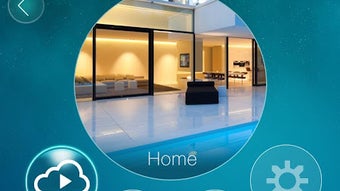
The user interface of mLiveView is designed with simplicity and clarity in mind, prioritizing ease of navigation for users of all technical levels. The main screen displays the live video feed prominently, with control buttons for pan/tilt (where supported), playback, and alarm settings arranged within a clean, intuitive layout. Menus are accessible via a side navigation drawer, allowing users to switch between cameras, view recorded clips, and adjust settings without disrupting the live feed.
Workflow efficiency is enhanced through automated processes such as QR code scanning and smart WiFi detection, which reduce manual input and minimize configuration errors. The app maintains a responsive interface during video playback, with minimal lag observed under normal network conditions. However, actual performance may vary based on network stability, camera resolution, and device capabilities.
The developer did not specify resource usage details, so CPU and RAM behavior cannot be confirmed. General software behavior patterns suggest that the app operates efficiently on modern Android devices. Stability appears consistent, with no reported crashes or freezes in standard usage scenarios. Users can expect a reliable experience when viewing live video or accessing recorded content.
Compatibility & System Requirements
mLiveView is designed exclusively for Android devices and is compatible with the Android operating system. The current version is 1.0.0, with a file size of 18.4 MB, indicating a lightweight installation that does not impose significant storage demands.
Exact system requirements were not listed. The developer did not provide specific details about minimum Android version, processor speed, RAM, or GPU requirements. Compatibility information is limited to the supported camera models, which include the PIC1005WN, PIC1006WN, PIC1006WN-HD, PIC1003WP, PIC1007WP, PIC1006WN HD, and PIC1008WN.
Users are advised to ensure their Android device is running a recent version of the OS to support secure connections and optimal video streaming. The app’s reliance on internet connectivity means that performance may be affected by network speed and signal strength.
Pros and Cons
Pros
- Free to download and use, eliminating upfront costs.
- Eliminates complex network configurations like port forwarding.
- QR code setup simplifies initial camera pairing.
- Supports multiple PROLiNK camera models with consistent functionality.
- Offers remote alarm alerts and SD card playback for enhanced security monitoring.
- Intuitive interface with on-screen pan/tilt controls on compatible models.
- Secure connection without exposing the camera to public networks.
Cons
- Only available for Android, limiting cross-platform access.
- Compatibility with non-PROLiNK cameras is not confirmed.
- Exact system requirements were not provided.
- Advanced features may not be available on all supported camera models.
- Relies on stable internet connectivity for optimal performance.
FAQ Section
Is mLiveView compatible with all IP cameras?
mLiveView is specifically designed for PROLiNK IP cameras. Compatibility with other brands or models has not been confirmed.
Does the app require a public IP address or port forwarding?
No. mLiveView is engineered to work without public IP addresses, port forwarding, or DDNS configuration, simplifying remote access.
Is mLiveView safe to use?
The app establishes secure connections to PROLiNK cameras. No public exposure of camera feeds is required, reducing potential security risks.
Can I update camera settings remotely using mLiveView?
Yes, the app allows users to remotely adjust video settings such as resolution, frame rate, and motion detection zones.
Does mLiveView support offline viewing of recorded footage?
Yes, users can access and playback recorded video stored on the camera’s SD card directly through the app, provided the camera is connected to the same network or the user has remote access.
Final Thoughts
mLiveView stands out as a practical and user-friendly solution for anyone using PROLiNK IP cameras. Its ability to deliver secure, remote video access without technical hurdles makes it ideal for homeowners, small business owners, and security-conscious users. The inclusion of smart setup, remote alerts, and SD card playback enhances its value as a comprehensive monitoring tool.
While the app is limited to Android devices and lacks detailed system requirements, its free pricing and robust feature set justify its use. For users invested in the PROLiNK ecosystem, mLiveView offers a seamless extension of their camera system into the mobile space.
Download mLiveView now






.png)
